Online Safety
This series has been produced with i-Vengers. It provides teaching on topics including:
What the internet is and how it is beneficial to us
Behaving appropriately online
Staying safe online - avoiding contact with strangers, reporting, limiting time spent online
Identifying fake content and adverts
Please read before you get started:
Download the pack before you start - don’t forget your free code!
Next to each video you can see what resources you need from the pack
Running time listed below each video is the video length only, session time varies depending on how long you spend on each activity
You know your young person best - please personalise activities and discussions to them
Use the videos and resources at your own pace
You are responsible for checking content to make sure it is suitable for your young person
You can find guidance on printing and using the resources in the pack. If you have any questions or feedback, do get in touch with our team via email.

Download your pack here
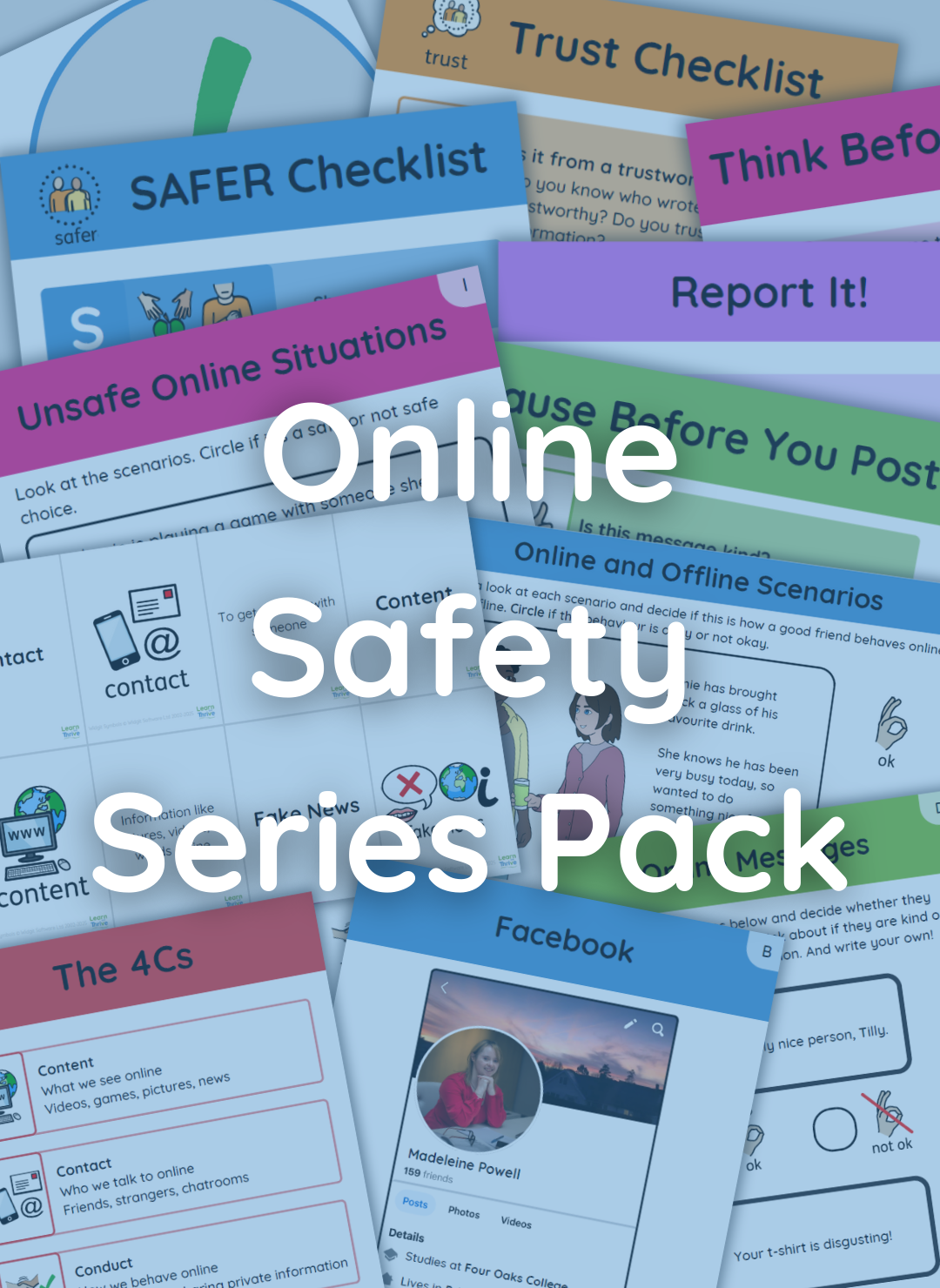
Included in this pack:
All Activity Resources A-K
Checklists
Recap & Knowledge Checks
Concept Cards
Communication Board
Student Packs
Learner Checklist
Parent Checklist
Parent Success Criteria
Alongside Printing Guidance so that you can work faster & do better for the planet!
Introduction | Running Time: 04:31
Introduction | Running Time: 03:14
Please watch this introduction video to familiarise yourself with this series.

The Internet | Running Time: 12:21
For this video you will need:
Recap & Knowledge Check - The Internet
A. Internet Uses Storyboard
Symbols - blue dots
Phrases - blue dots
The Internet Student Pack
Online Information & Data | Running Time: 14:28
For this video you will need:
Recap & Knowledge Check - Online Information & Data
B. Privacy and Profiles
Online Information & Data Student Pack
(Optional) Paddles
Time Spent Online | Running Time: 11:11
For this video you will need:
Recap & Knowledge Check - Time Spent Online
C. Day in the Life (printing A3, use Symbols - green dots)
OR C. Day in the Life (printing A4, use Symbols - green stars)
Time Spent Online Student Pack
Effects of Online Behaviour | Running Time: 12:36
For this video you will need:
Recap & Knowledge Check - Effects of Online Behaviour
D. Respectful Comments
Effects of Online Behaviour Student Pack
Age Restrictions Online | Running Time: 15:04
For this video you will need:
Recap & Knowledge Check - Age Restrictions Online
E. Age Rating
Think Before You Play Checklist
PEGI Labels [optional]
Age Restrictions Online Student Pack

Reporting | Running Time: 11:57
For this video you will need:
Recap & Knowledge Check - Reporting
F. Reporting Trees
Report It Checklist
Reporting Student Pack
Online and Offline Relationships | Running Time: 15:37
For this video you will need:
Recap & Knowledge Check - Online and Offline Relationships
G. Online Scenarios
Pause Before You Post Checklist
Online and Offline Relationships Student Pack
Real or Fake? Online | Running Time: 15:54
For this video you will need:
Recap & Knowledge Check - Real or Fake? Online
H. Real or Fake Profiles
Trust Checklist
Real or Fake? Online Student Pack
Rules for Being Safe Online | Running Time: 16:08
For this video you will need:
Recap & Knowledge Check - Rules for Being Safe Online
I. Unsafe Online Situations
J. My Safe Adults
4Cs Checklist
SAFER Checklist
Rules for Being Safe Online Student Pack
Assessing Information Online | Running Time: 13:56
For this video you will need:
Recap & Knowledge Check - Assessing Information Online
K. Sponsored and Organic Posts
Phrases - pink dots
Trust Checklist
Assessing Information Online Student Pack

Pornography | Running Time: 08:16
There are no resources for this video.
Please consider whether this is appropriate before watching with your learner. It is a simple explanation video, and is here to aid any conversations you might need to have with your young person around pornography. It can be used as a stand alone video, and doesn’t need to be watched to complete the series if you do not feel it is needed yet.